
The people of West Bengal should pay attention towards my article today if you also want to know about the West Bengal Silpasathi Portal. So this is the online single-window platform which is managed by the state government of West Bengal. This is specially designed for EoDB, i.e. Ease of Doing Business. Through the help of this portal, the Government of West Bengal provides registration, renewal, licenses, and certificates to the investors and business persons of the state.
So if you are also one of them and want to access the services of Online Registration, License Renewal and download the certificate, then you have to go through this article.
Silpasathi Portal
Silpasathi Portal is the single-window online service portal of the state of Bengal, and the same is set up by the WBIDCL, i.e. West Bengal Corporation Limited. This portal provides its unique and important services to the users as per government rules. This portal provides the facilities to set up and operate a business in the state of West Bengal to investors and business persons.

| Portal Name | Silpasathi Portal |
| Mode to access service | Online |
| Type of platform | Single Online Platform |
| Beneficiaries | Citizen of State |
| Services | Registration, Login, Renewal, and Certificate Download |
| Portal | Silpasathi.wb.gov.in |
Features of the Silpasathi Portal
| Single Online Platform | With the help of this single online portal, all investors can get approval, licence registration and No Objection Certificates from the various departments of the state |
| Labour Registration | Through this platform, it is compulsory to submit the various labour legislation documents |
| Live Track | The most important feature of this portal is real-time live tracking. That is, you can use this online digital system of the platform to submit the forms online, pay the fee, track the application status online and then, after all, download the certificates for which you applied |
| Alert | You will also get all the updates or notifications through SMS and email ID |
Benefits of Shilpa Sathi Portal West Bengal
- This portal provides its services online and also ensures all the statutory compliances as per the government rules.
- All business persons and investors who want to set up their business and run their business in the state will also need to get the licence and certificates from the state. They no longer need to visit the department office of the government.
- The government has also set up the SilpaSathi kiosk, which is around 23 and located in every district of West Bengal.
Portal Data
| Total Government Entities | 20 |
| Serives | 142 |
| Registered Users | 698025 |
| Application submitted | 2609646 |
| Approved | 2548271 |
Services Provided
| For Pre-establishment | Conversion of Land use, Water Tap Connections, Building plan approval |
| Pre-operations | Licence for Business, Fire Safety clearance certificate, Trade License and environment consents |
| Labour employment | On this portal, all services of the Labour Department are managed |
West Bengal Silpasathi Portal Registration Online
To access the services of this portal, citizens of West Bengal need to register and create a profile on the portal and avail the benefits of the different department services of the state. Now, I am going to provide you with the step-by-step information to complete the registration.
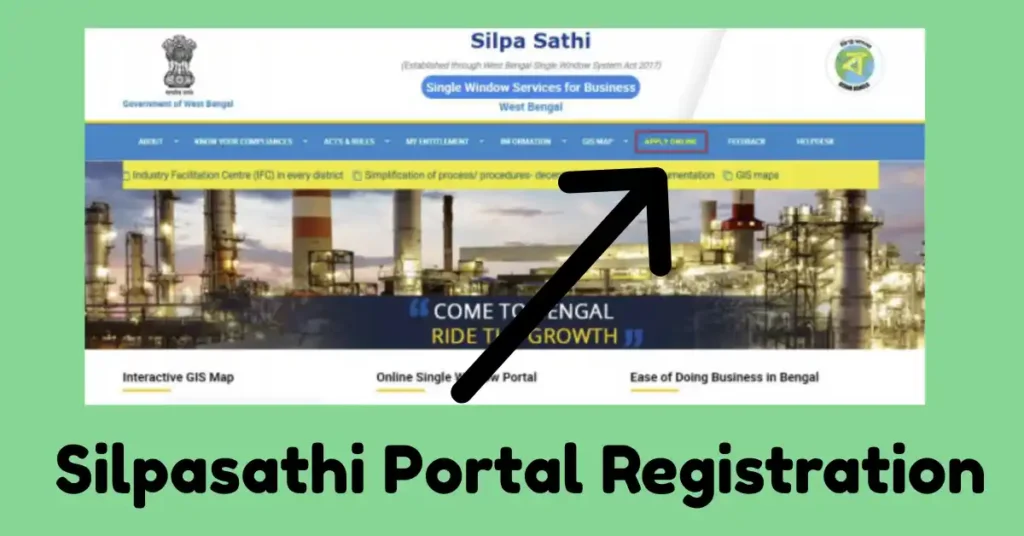
- Open Portal: First, citizens have to open the Silpasathi Portal of West Bengal (silpasathi.wb.gov.in) to get the respective service benefits online.
- Click on Link: Now, after opening the home page in front of you, you have to click on the link of Apply Online as available.
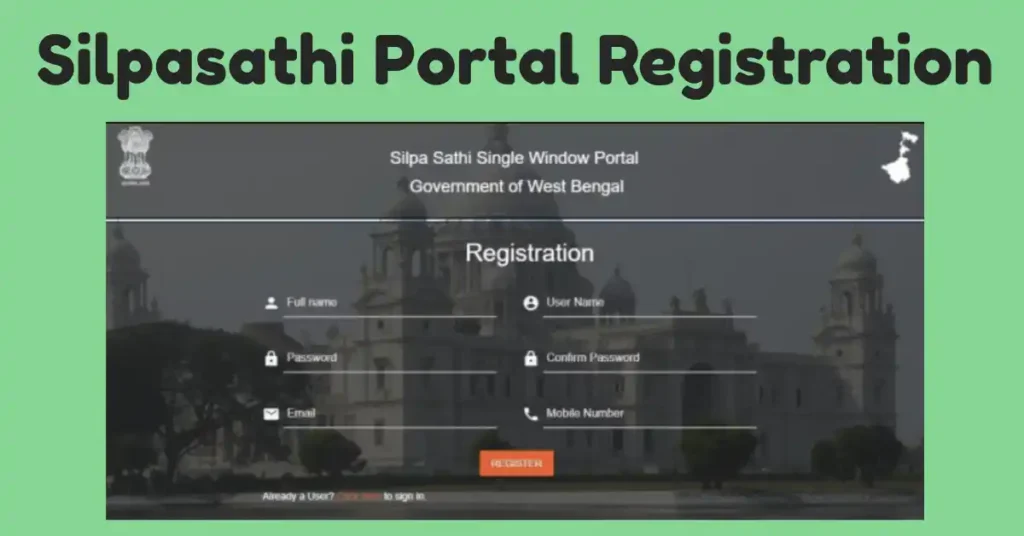
- New User Registration: Now the Login Page appears in front of you, but if you are new, then click on the link of New User Click Here for Signup.
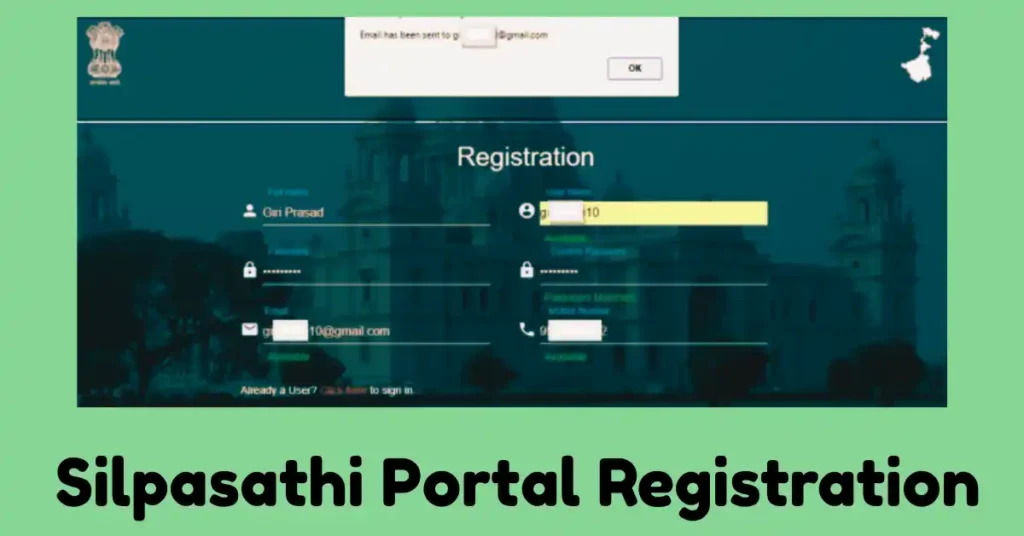
- Fill Registration Form: Start filling the registration form with the Full Name, User Name, choose a password of your choice, email id and active mobile number and then click on Register.
- Verify: After entering the email ID and mobile number, a verification email has been sent to your email ID. Then open the email and validate the email ID.
- Registration Complete: In this way, you complete the registration.
Silpasathi WB Gov in Login
- Using the above-mentioned information, i.e. User ID and password, any user can login in to their account.
- So visit the Silpasathi Portal and then find the link to apply Online or Login.
- Then enter the User ID and Password.
- Click Login.
- Now the Dashboard of your account opens here; now choose the services and department in which you want to apply.
Licenses Sector Specific
| Green Fire Crackers License |
| Finincial |
| Medical Value Travel |
| Tourism and Hospitality |
| Hotel Industry (upto 3 Star) |
| IT C ITeS |
| Misti Hub |
| Transport and Logistics |
| Accounting and Finance |
| Audio Visual |
| Communication |
| Enviroment |
| Construction and Related Engineering |
| Legal |
Silpasathi Portal Trade Licence Application & Renewal
- First, open the Silpasathi Portal at silpasathi.wb.gov.in.
- Then have to click on Registration or Login.
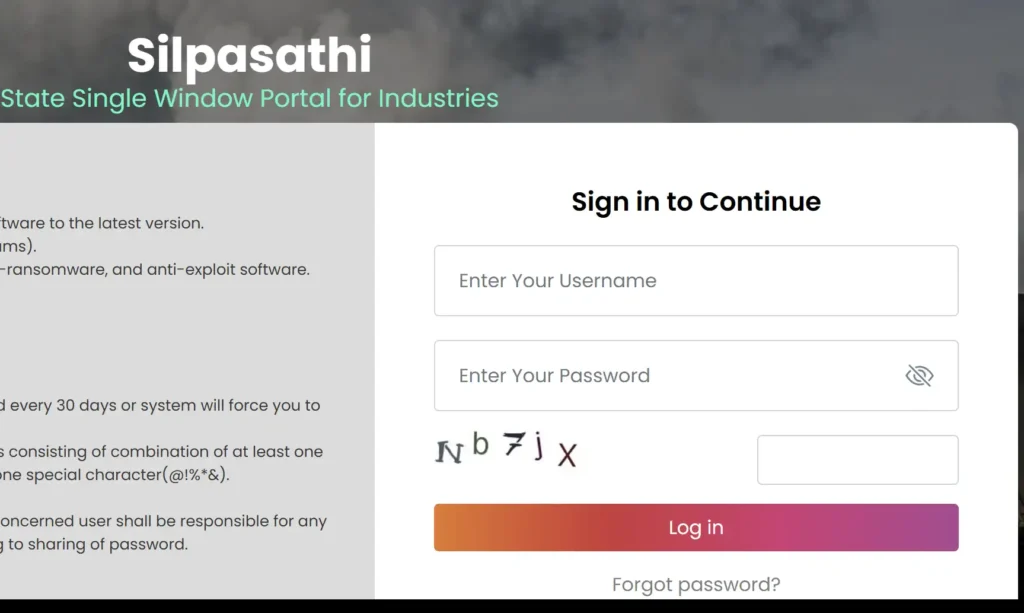
- Now add your credentials, i.e., user ID and password.
- Have to fill the common application Form and then add all the business and enterprise information.
- Need to upload the documents with the form, like your identity proof, address proof, etc.
- Pay the application fee online and then submit.
- But if you already have a Trade Licence and want to renew it, then after logging in to the portal, you have to click on the department and then click on the services you want.
- Here, the Renewal Form opens in front of you, and you have to fill in the information and upload the documents, such as a copy of the previous license, etc.
- Pay the renewal fee and then submit.
- After some time, you can download your updated Trade Licence Certificate.
NOTE: User ID and Password can be set by the users as per their choice, and the user ID should contain fewer than 10 characters.
Helpline and Contact Information
| Contact No. | +913322553700 |
| Fax Number | +913322553737 |
| Email ID | silpa.sathi@wbidc.com |
| Quick Response Team Email | qrt.silpasathiwb@gmail.com |

Satyajit Basu is a Professional Content Writer having experince in this field for the last 6 years. He started his career as a content writer, and now he is working with many big news publications. His expertise is in West Bengal news, and interest in West Bengal Politics and Trending News.