
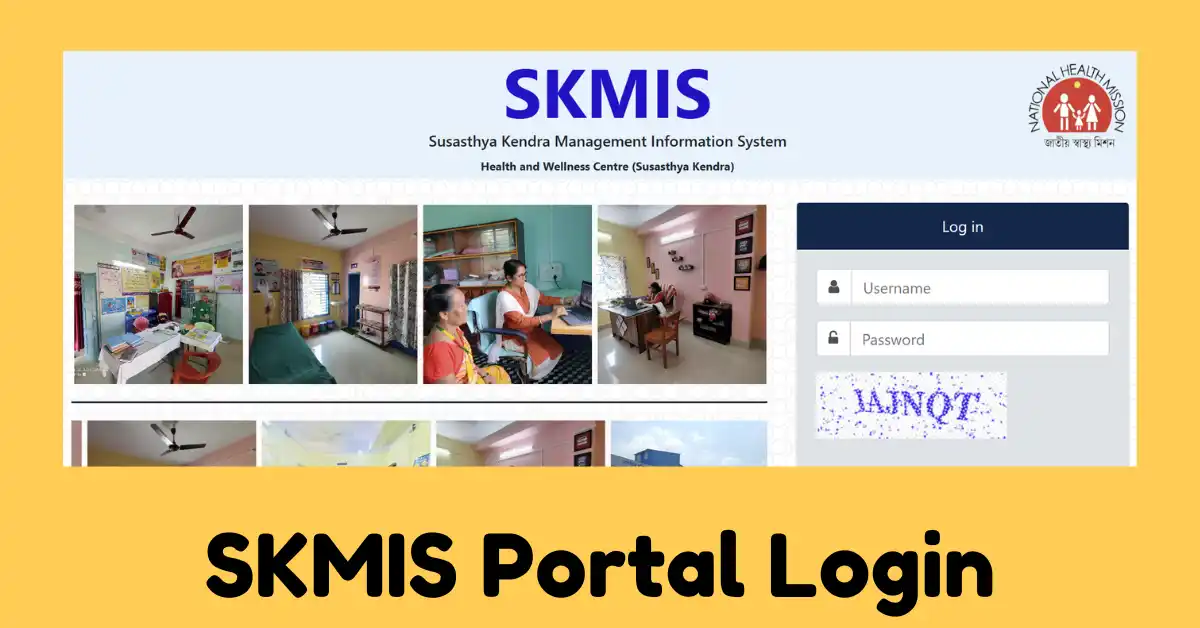
There is an online platform that is operated by the Health and Family Welfare Department of West Bengal. The name of the portal is the SKMIS Portal. Here, SKMIS stands for Su Swasthya Kendra Management Information Portal of West Bengal, and this is the online portal. The citizens of the state can also access the same portal through its official website, the West Bengal Health Portal.
Now if you wants to know about the complete process is WB SKMIS Portal Login, Registration process, then you have to continue with this article.
| Portal Name | SKMIS Portal |
| Complete Name | Su Swasthya Kendra Management Information Portal |
| State | West Bengal |
| Managed By | Health and Family Welfare Department |
| Information available | Login and Registration Process |
| Access requirement | Login details |
SKMIS Portal
SKMIS is for the Susathya Kendra Management Information System, Health and Wellness Centre of the State of West Bengal.
| Utilised by CHO | This portal is primarily used by the CHO’s (Community Health Officers) and Health workers for data entry. As they can enter the primary health data of the Ayushman Arogya Mandirs/ Su Swasthya Kendras |
| CHOs PBI | PBI means Performance-Based Incentives. Now the Community Health Officers can also use this portal to submit their daily service delivery report on the portal. Later, they can track and claim their PLI (Performance-Linked Incentive) |
| Service Record | After logging in, they can submit their community information, such as eligible couples ratio or maternal health stats |
Overview of WB SKMIS Portal
| Motive of Portal | This portal is developed only for the use of Community Health Officers and Medical staff to record their daily Outpatient Department data, i.e. OPD Data and facility report |
| Incentive Tracking | All the data entry that is uploaded on this portal supports performance incentive tracking |
| Requirement to use | To use the account, login credential details like username and password are required, and the same is given by the state health department |
SKMIS Portal Registration Process
The common public of the state are not able to complete the registration on the portal. Even individual health workers of the state cannot self-register online here. Because this is the online secure internal tracking system of the government which is only used to calculate incentives. Account creation on this portal is tightly controlled. Only CHO’s can complete the registration.
- So as and when any of the new CHO is appointed in SU Swasthya Kendra in West Bengal, then their onboarding paperwork is processed by the District Health Administration.
- The basic profile of the CHO, like his contact information, etc is compiled by the Block Health Team, and then credential details are sent to the Block Data Manager.
- The Administrative team create their profile and generates the unique ID and password.
- Then, using the same details, the CHO has to login officially.
SKMIS Portal Login
If you also want to log in to this portal, then you have to follow the steps to access your account on the same portal.
- Open Portal: To access the online portal, you have to open the official website of the West Bengal Health Portal, or you can also directly visit the SKMIS Portal, i.e., the Su Swasthya Management Information System application Section, skmis.wbhealth.gov.in
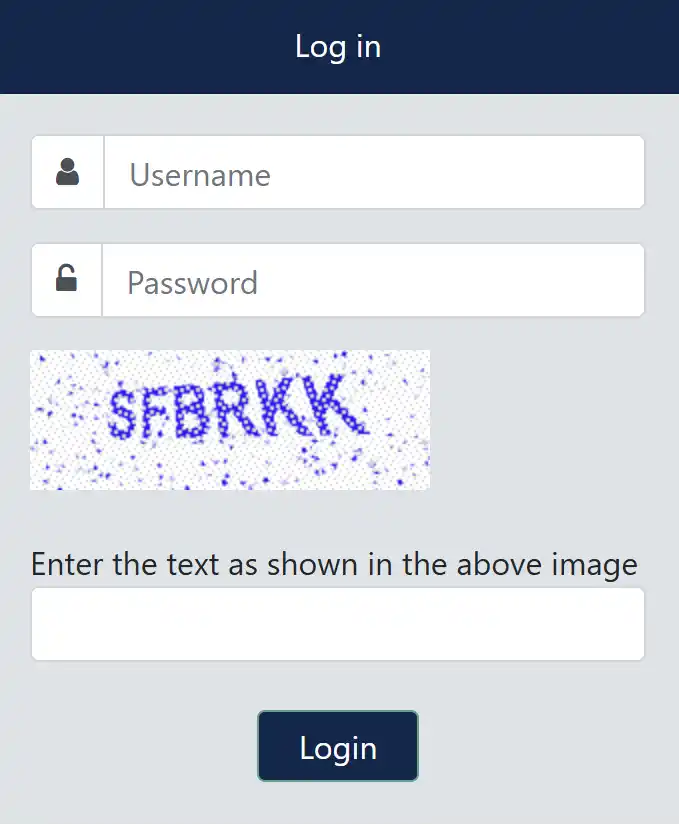
- Enter Credentials Details: On the home page of the portal, you will find the Login Box. In the login box, enter your credential details, such as the unique ID of the employee, facility or CHO, with the password you set while registering on the portal.
- Enter Captcha Code: Here, in the login box, after entering the user ID and password, you also have to solve the captcha code and enter it as shown in front of you.
- Submit: Now finally submit the information and click on sign in/ Login in, and then use the dashboard of your account.
If Forget Password
So, if by chance at the time of login on the portal you face any issue or you forget your password, then you can reset the same.
- Enter the user ID and click on the Forgot Password or Reset Password Link available on the Login Page.
- To change the old password to a new password, a one-time password will be sent to your registered email ID or mobile number.
- Verify the same and then change with the new password and using the same login in the account.
If Account Locked
- Sometimes people don’t know about to reset or change the password and for multiple incorrect attempts, your account must be locked.
- So if your account is also locked, then you have to contact your BDM ( Block Data Manager) or District IT cell to unlock your account.
Satyajit Basu is a Professional Content Writer having experince in this field for the last 6 years. He started his career as a content writer, and now he is working with many big news publications. His expertise is in West Bengal news, and interest in West Bengal Politics and Trending News.