

Hello people, if you also want to know about the West Bengal Social Security Portal of the West Bengal Social Registry Portal, then here I am going to give you full information about it. The Social Registry Portal is known as the Social Security Portal. This is the portal with the help of which the Finance Department of West Bengal manages the database of the citizens of the state. By accessing this portal, citizens can track, evaluate or know the implementation of the welfare schemes run by the state government. This portal is also known as the ‘Family Level Data Collection Portal.
- Social Registry Portal is also known as the Social Security Portal of West Bengal.
- The Finance Department uses its Database Management Portal.
West Bengal Social Registry Portal
The BJP Government of West Bengal launched this Social Registry Portal. This portal has an alternate name of Social Security Portal. There are so many welfare scheme in which some of already implemented in West Bengal and some of which are going to be implemented by the government in future.
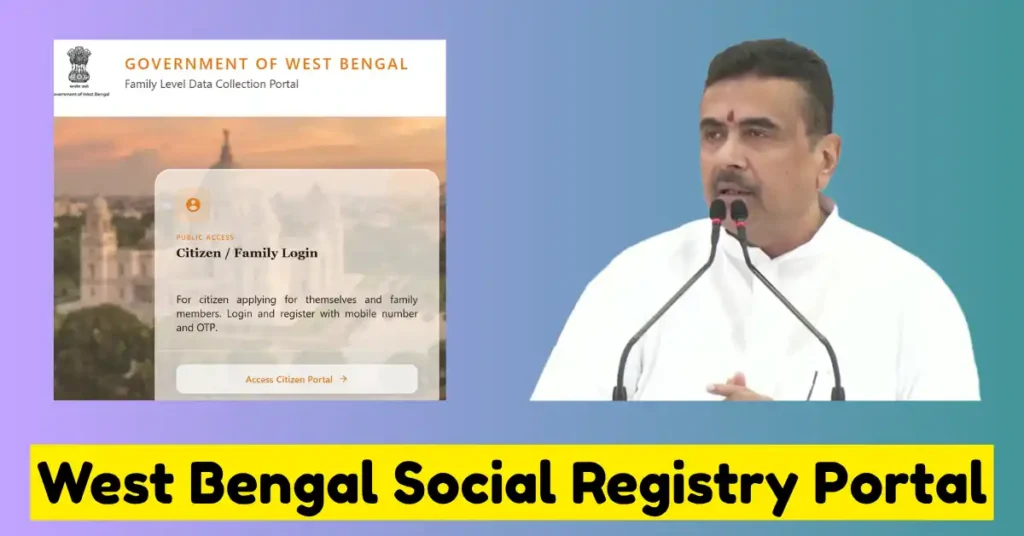
So all the welfare schemes which are launched or going to be launched in West Bengal; all information is available on this portal. With the help of this portal, the government, after collecting the data of the citizens of the state, can easily identify the genuine beneficiaries for the scheme.
Not only this, but the government also reaches out to the beneficiaries who were left behind to avail the benefits of this scheme. Now, this time, this West Bengal Social Security Portal is live and providing its services as a Family Level Data Collection Portal. If you are also a citizen of West Bengal, then you first have to register on the portal and then add all the details on the portal.
Points to Be Noted
| Portal | Social Registry ( Social Security) Portal |
| Known as | Family Level Data Collector Portal |
| Launched By | Current State Government |
| Access By | Concerned Departmental Officers and Citizens |
| Benefits | To know your eligibility, welfare schemes of the state and Track Status |
| Address | Socialregistry.wb.gov.in |
Features of WB Social Registry Portal
| Collecting Family Data | By launching this portal, the government is trying to collect the family’s full details like their Ration card Number, Income Status, occupation of every family member, and Bank account details. |
| Maintained Transparency | Every time the government implements any of the welfare schemes, with the help of the data, they can identify the beneficiaries. It will also reduce fraudulent claims for the welfare scheme. So that’s why we can say that this portal also helps to maintain transparency. |
| Migration From Previous Scheme | Whenever there is any of the new scheme Launched which is similar to the old scheme, for example, the Annapurna Scheme is new but very similar to the Lakshmir Bhandar Scheme. Then, using this portal, all the beneficiaries of the Lakshmir Bhandar Scheme are automatically transferred to the new Annapurna Scheme. |
Who Can Use this Portal?
| Concerned Officers | This portal can be used by the Concerned Department Officers. They can use this portal by logging in using their credentials. They have to choose the Social Registry Admin Dashboard. |
| People of State | All individual citizens of West Bengal can use this portal by using their Personal details and then apply, track or know about the scheme and check their eligibility. |
Requirement to Access Portal
- Aadhaar Card Number with photostat Copy of every family member
- VOTER ID Card is also required for all family members
- Ration card Number of the family
- Active Mobile Number which is linked with the Aadhaar card
- To get DBT payment, submit Bank account details; it must be a single holder
- Income certificate of the family showing income from all sources
- Documents related to Land
- PAN Card of every member
- Caste certificate if required
- Disability Certificate of any of the persons if required
- Husband’s death certificate in case if Widow Category
Instructions to Be Used Before Using the Portal
- First of all, after opening the form, need to read the form very carefully before making an entry in the form.
- Every time you enter the details in the form, click on Save Draft to save all your progress in the form.
- Before final submission of any form, kindly review your information by previewing the form and then check that all columns are correct.
- Once you submit the form finally, you cannot re-edit or make change anything in the form.
West Bengal Social Registry Portal Registration Process
- You can complete the online registration portal using your device or Mobile Phone also.
- Access the portal, i.e. West Bengal Social Registry Portal (Socialregistry.wb.gov.in).
- Now, on this portal, go to the link for Access as Citizen or Family Login.
Login Process
- To make a login, first of all select the District you belong to.
- Then enter the Aadhaar Card Number linked with an active Mobile Number.
- Enter the captcha code and then request for One time Password.
- Now you get the 6 Digit OTP and then Enter; you are logged in to the account.
How to Fill Family Level Data Collection Portal Form
- After successful Login on the portal, start filling the Form by entering your basic details of the head of the family.
- Now add the rest of the Family Members.
- Start adding your Ration Card Number, Income details and then bank account details for DBT Payments.
- Upload all the documents and then check by previewing the form and then submit.
- Save your Application ID, which can be used by you in the future.
FAQ
Yes, you can visit the concerned Offices physically or can also attend the Special camps organised by the Government.
You can log in by using your Aadhaar Card or Voter Card Number and sending an OTP to your linked mobile number.

Satyajit Basu is a Professional Content Writer having experince in this field for the last 6 years. He started his career as a content writer, and now he is working with many big news publications. His expertise is in West Bengal news, and interest in West Bengal Politics and Trending News.