
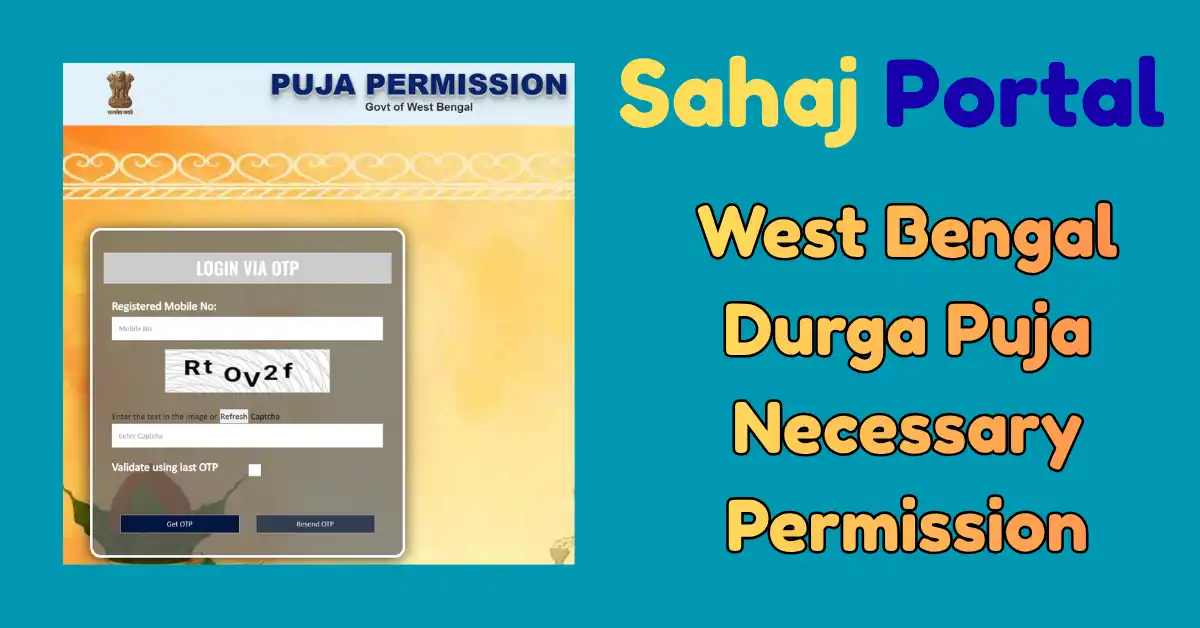
Before Durga Puja, all the organising committees need various permissions. Government start a New portal for permissions and people want to know the Sahaj Puja permission portal. So in this post, we share step by step detaila bout the permission process and steps. This portal is used to take permissions, and you can do it from your home. There is no need to visit any local government office for this process.
Like every year, Durga Puja is celebrated all over the indian with full of joy and happiness. These days, people worship Goddess Durga and celebrate this festival with their friends and family members. Durga Puja has a Different type of love and spirituality in West Bengal. Like every year, this is going to be organised from 17th to 21st of October. To celebrate this festival, Sahaj Portal has been created for online permissions. Various types of permissions, like Electricity, Water, Pandal, and fire permission, will be taken from this portal. You can do it by following the procedure explained in this article.
There are different days, which are known by different names. From 8th October, Kali Puja is organised, and after that, from 15th to 19th, Jagadhatri Puja will be held in West Bengal. If you are going to celebrate Durga Puja in West Bengal, then the government has started a portal named Sahaj Portal for all types of permissions.
Sahaj Portal
Sahaj Portal is a Durga Puja Permission portal. This is a single online platform in which you will get all the necessary approvals from all government departments to organise Durga Puja, Pandal setup, and other festivals. The permission process is step-by-step, and you can do it by following a few steps. If you are organising Durga Puja this time and want to take different types of permissions, then visit the Sahaj Portal and do it hassle-free.
To take permission for Durga Puja festival celebration, only registered puja committees and clubs can apply. At the time of registration, a few documents are required, which we mention in this post in the documents section. Once you apply on the Sahaj Portal for permission, it will normally take 10 to 20 business days for approval.
| Portal Name | Sahaj Portal |
| Portal Use | Durga Puja Necessary Permission/Approval |
| Durga Puja Dates | 17th to 21st October 2026 |
| Permission Process | Online |
| Website | aasan.wb.gov.in |
West Bengal Durga Puja Permission Registration on Sahaj Portal
The registration process is held in 5 direct steps. You can follow the process and complete these steps one by one.
- For Durga Puja permission, visit the Sahaj Portal: aasan.wb.gov.in

- First, fill in the Festival details. In this section, select the festival name, Durga Puja.
- Now give details about the Puja Address, District name, Block name, nearest fire station, Starting date of the festival and the complete budget of this puja.
- Now enter the club or committee name, subdivision name, Post office and nearest police station with PIN code address.
- In this form, you have to enter details of the Club/Committee registration number, gram panchayat or ward name and details about the source of Electricity.
- In the next section, you have to give information about the Organiser.
- In this section, put details of the president or secretary’s name, father or husband’s name, His Contact number and email ID.
- Mention details like the number of volunteers, the inauguration ceremony date and if any celebrity is coming, then its information.
- Also mention the immersion place, idol height, Venue, Date, and time in the form.
- Now agree to all the necessary declarations for fire safety measures.
- In the next section, give information about the Land on which the Durga Pujan celebration is organised.
- You have to give information about whether the land is Private, government or any other in the form.
- For Private land, you need an NOC from the landowner with their name and contact details.
- In the next section, you have to give information about the electricity source.
- Mention the details about the last year’s electricity source, Meter consumer number, and Sanctioned Load in kW.
- You have to mention the electrician’s name, license number and contact number.
- You have to provide fire safety-related information in the next section. Mention the Pandal area (Sq.Ft) and list of materials used for pandal construction.
- The decorator’s name is to be mentioned with his contact number and Trade License number.
- Agree to the declaration for this form and go to the next section to upload documents.
- The document list is already mentioned. Upload these and then wait for the NOC approval. Once they get the green signal, the final permission will be granted within the specified time.
Declaration Form
| Form Name | Form in PDF |
| Decorator Declaration Form | Check Form |
| Electrician Declaration Form | Check Form |
| Safety Declaration Form | Check Form |
| Land NOC Form | Check Form |
Requirements for Durga Puja Permission
These are some documents that are required for every organising committee or club to take permission. The list of documents mentioned:-
| Previous year Puja Permission |
| Electricity Bill |
| NOC From Landowner |
| Declaration for Electrician |
| Site Plan |
| Declaration of Decorator |
| Volunteer List |
| Signature of Secretary or President |
| Immersion Route chart |
| Safety declaration for the temporary puja connection |
| Puja-related budget documents |
| PCB Undertaking format (Download from portal, fill it and submit it on portal) |
| Last Year Immersion Route chart |
West Bengal Sahaj Portal for Durga Puja Necessary Permission and Approval Online is a very convenient way to obtain all permissions in one place. Organisers do not need to visit various government offices to take permissions. Submit your documents and NOC and wait for the approval. In case of any questions related to this, ask in the comment section.
Durga Puja 2026 Calendar
| Date | Name |
| 10th October | Mahalaya |
| 15th October | Maha Chaturthi |
| 16th October | Maha Panchami |
| 17th October | Maha Shashthi |
| 18th October | Maha Saptami |
| 19th October | Maha Ashtami |
| 20th October | Maha Navami |
| 21st October | Vijaya Dashami |

Satyajit Basu is a Professional Content Writer having experince in this field for the last 6 years. He started his career as a content writer, and now he is working with many big news publications. His expertise is in West Bengal news, and interest in West Bengal Politics and Trending News.