
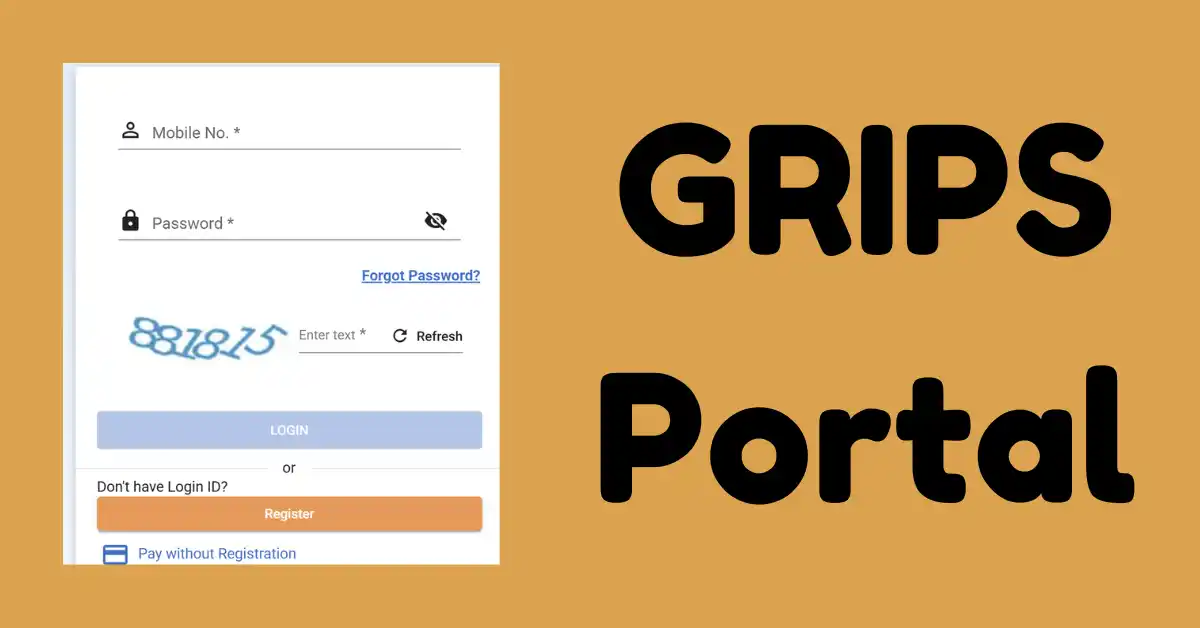
The State Government of West Bengal developed its online portal, which is known as GRIPS, i.e. Government Receipt Portal System. This is a very user-friendly online platform that is open to the citizens of the state of West Bengal.
Through this portal, beneficiaries such as traders, companies, citizens, and entrepreneurs can make various Tax and non-tax payments to the West Bengal state government. This portal provides its electronic online services to the citizens of the state 24*7 to deposit money in the account of the State Government of West Bengal with the help of internet-based payment technologies.
Apart from the above, all the State Government departments and directorates of the Bengal state have been brought under GRIPS to collect their tax and non-tax revenue for better public financial management.
GRIPS 2.0 Portal
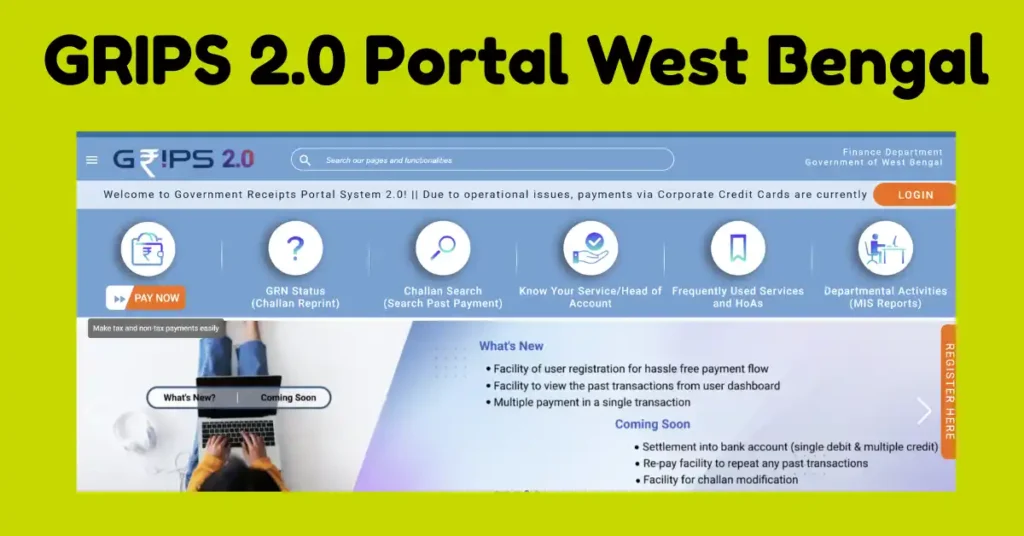
This is the online platform that was launched by the West Bengal state government. The complete name of the portal is Government Receipt Portal System and can be operated online. This portal provides its services 24*7 every day, and users can make payments of Tax and non-tax at any time of the day. The same portal is managed by the Finance Department of West Bengal.
| Portal Name | GRIPS |
| Complete Name | Government Receipt Portal System |
| Aim to Launch | To make payment of Tax and non-tax |
| Launched By | West Bengal State Government |
| Current Version | Upgraded version, i.e. GRIPS 2.0 |
What is the GRIPS 2.0 Portal?
The GRIPS Portal provides access to online services like generation of Online Challan and making online payments of fees for land records, mutation and RTI, etc. So now, if we are talking about GRIPS 2.0, this is the upgraded version that comes with features such as single debit, multiple credit options, a user dashboard, and improved user security.
Now, with the help of this new version, you all can track your Payments like GRN Status, your past Challan Record and receipt reprint.
- To get the benefits of GRIPS 2.0, you can complete the registration using your active mobile number and your Government-issued ID Card.
- Now this new updated version also allows you to pay for different government services with a single transaction.
- The payment can be made in online/offline mode.
Financial Year-wise Amount Collected
| 2021-22 | 39658.95 Crore |
| 2022-23 | 46,617.7 Crore |
| 2023-24 | 51913.89 Crore |
| 2024-25 | 65348.81 Crore |
| 2025-26 | 72937.15 Crore |
| 2026-27 | 37455.69 Crore |
Features of GRIPS Portal
- All the citizens of the state of West Bengal, with the help of this portal, can make online payments 24*7 at any time of any day.
- At the time of completing the payment process, on this portal the requirement of the information is very minimum to be filled on this portal.
- You can make the payment to multiple heads of account using a single Challan with the help of this portal.
- After completing the payment through this portal, the depositor or applicant gets the GRN, i.e. Government Receipt Number.
- Any citizen of the state will be able to pay personal taxes like their Bills, Property Tax, professional tax, or vehicle tax on behalf of others, firms, and companies also.
- Once the GRN Number is generated for any of the beneficiaries through this GRIPS Portal, the SMS services facility will also be given to them.
Types of Challan Search Options available on GRIPS Portal
Here is the following search options are available
| GRN Status |
| Reprint Challan |
| Service Details Search |
| Head of Account Search |
GRIPS Portal Registration
- Access to Portal: Kindly open the GRIPS Portal wbifms.gov.in/GRIPS/v2.
- Click on Register: Have to find the link of Register and then click on it.
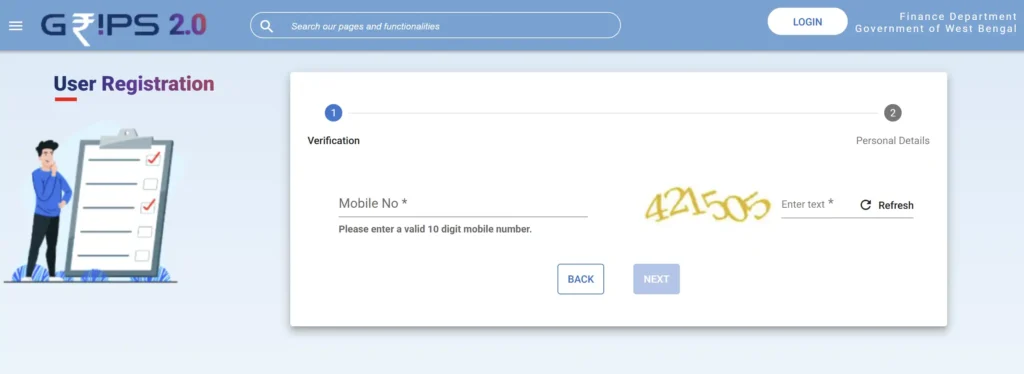
- Enter Details: Now you need to enter your active mobile number, email ID, and basic details.
- Verify: Need to verify your account after receiving the OTP on the registered mobile number.
- Create User ID and Password: Now you have to create a secure user ID and password for future use.
Steps For West Bengal GRIPS 2.0 Portal Payment Status
If you also want to check your Transaction or payment Status, then using your GRN number, you can check the same anytime. Here are the steps given below:
- Visit the official portal, i.e. GRIPS 2.0.
- Now find the link for Check Status.
- Click on it, and the Status form appears.
- Now enter your 18 Digit GRN Number and click on View Status.
- Here, your real-time payment status is shown.
Result Available In Status
| Pending | This means your payment is waiting for final clearance from the bank |
| Successful | If you get payment Status successful, then it means your payment is safely received by the government, and you can also download your Challan or print your payment Receipt |
| Failed | It means your payment is not complete, and if money is deducted from your account, then it will be credited to your bank within 7 working days |
West Bengal GRIPS Login as Citizen/Tax Payer
So, at the time of logging in on the portal, you need to choose your category, i.e. Individual Citizen or Tax Payer or Government Officials.
- Open the GRIPS Portal.
- Now click on the Login option.
- If you are already registered on the portal, you have to enter your Registered Mobile Number.
- Get the OTP on the same number.
- Solve the CAPTCHA code and get your profile.
Departmental/ Admin GRIPS Portal Login
- On the home page of the portal, you get the direct Login link for Admin Login.
- Have to use your User ID and password.
- Enter the Captcha Code and click on Sign in.
How to Download Challan or Reprint Challan Receipt?
So if you also want to download or reprint the challan, then you can use your GRN, i.e. Government Reference Number. So follow the steps given below.
- Need to open the official GRIPS Portal.
- Now, here is the link to Check Status/ Reprint Challan; click on it.
- Need to enter your GRN Number containing 18 digits.
- After entering the number, click to Check Status; here you will see the Payment history open in front of you.
- Now check your transactions and click on the transaction for which you want to download the Challan and want to reprint the Challan.
Forget GRN Number
- So if you forget your GRN number, then you can use the 2nd method to download the Challan.
- On the home page of the portal, you have to find the link for Search Challan and then enter the Bank Reference Number, if available.
- Have to use your PAN Number, the applicant’s official name, TAN, etc.
- Now have to enter the name of the bank, amount and Challan Fill Date.
- Click on Search; here you get your Missing GRN Number and then download your Challan.
FAQ
This portal has been providing its services since 2012.
It is free of Cost; you can make payment through this portal free of cost.
Payment can be made through online as well as offline modes.

Satyajit Basu is a Professional Content Writer having experince in this field for the last 6 years. He started his career as a content writer, and now he is working with many big news publications. His expertise is in West Bengal news, and interest in West Bengal Politics and Trending News.