
Department of Food and Supplies, West Bengal, collects paddy from farmers every year at MSP (Minimum Support Price). This system is done through e Paddy Portal of West Bengal. This whole process is started to provide direct benefit to farmers, and it will remove the middleman profit and commission. For this, farmers have to register themselves on the epaddy.wb.gov.in portal. This is a digital platform and replaces the older manual process in which farmers need to visit offices.
Once the registration process for e Paddy procourment is completed and you submit your documents like bank and land details, half of the work is completed. Also, choose a procurement centre and select a Date of procurement. When the procurement process is completed, the payment amount will be credited directly to the bank account. Farmers who come under the Krishak Bandhu and Non-Krishak Bandhu are eligible for registration. Only the landowner is eligible to sell their crop through this process. All the documents will be checked, and then the next process will be completed.
e Paddy Status Check
If you are a farmer from West Bengal and want to register on the e paddy portal, then we will share information step by step. The West Bengal e Paddy Farmer Registration is a few-minute process, and we also provide details on the requirements, document list, and why the registration is important. So all these important points will be covered in this topic. So start with firest topic is how to register.
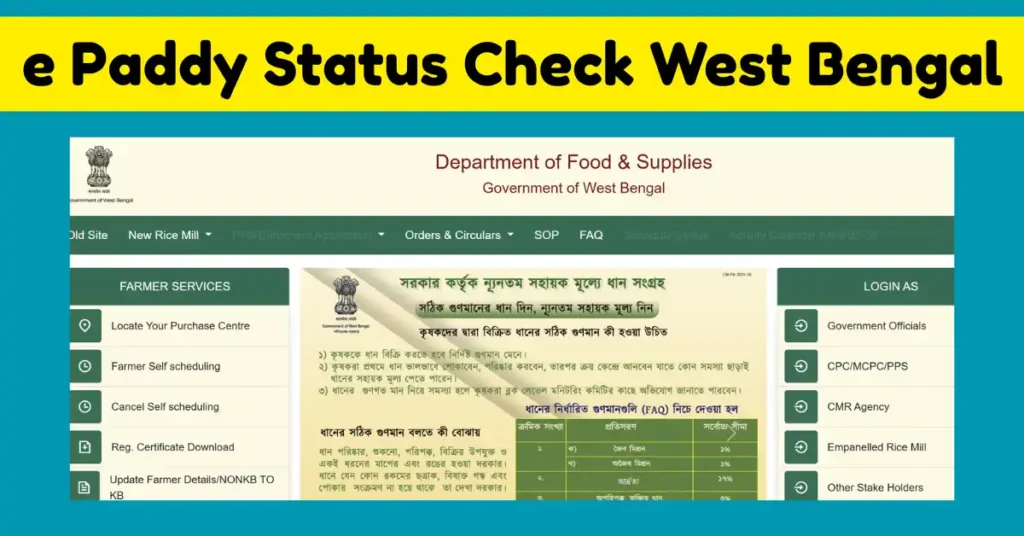
Farmer Registration Steps for e-Paddy Procurement
- For registration, farmers need to visit the official portal https://epaddy.wb.gov.in/
- Now you have to choose the option of Farmers Self Registration.
- Now provide the basic details like your name, district name, block name, cultivation, and address.
- Also provide the Land details LIKE ROR (Records of Rights) to prove the land is in your name. Alos mention the area of cultivation in acers.
- Now fill in bank details. In this section, provide the details in which you will receive the paddy amount.
- Also, you have to verify your mobile number with an OTP. After OTP verification, you have to upload all the necessary documents.
- When the documents are uploaded, submit your application.
- Now you have to wait for the approval from concern authority. This will be approved by the Block Development Officer.
- You can check your farmer profile to confirm that your details are recorded correctly.
- When your registration is accepted, you are eligible to sell your paddy for MSP.
How to schedule your paddy Sale
- Once your registration is completed, the next thing is to select your procurement centre. Also, you have an option to select a date and time. This gives you the option of self-scheduling.
- Farmers need to login with their credentials on https://epaddy.wb.gov.in/.
- Now select the procedure centre according to your preference and distance from your home.
- Now select the time slot, in which the date and time will be selected.
- After that, confirm your bank details, cross-check every detail, and save your preferences.
Requirements
- Farmer Aadhaar Card
- Land record (Land ownership records like Khata number, Khatauni, Khasra ect details)
- Bank account details to receive payment
- Mobile number for OTP verification
- Krishak Bandhu ID (if you have it; if not, it is not necessary)
What is the need for paddy procurement farmer registration?
| Benefit of MSP | Farmers who are registered will get a guarantee of MSP. No need to depend on local traders to sell your crop in the open market. The government will procure your paddy at the minimum support price. |
| Payment Through DBT | After procurement, payment will be provided to farmers directly into their bank account. |
| Maintain transparency | After the launch of e Paddy Farmer Registration for procurement, it helps in maintaining transparency in the whole system. |
| No long Queues | There is no need to stand in the queue to sell your crop. Do your registration online and also fix a Schedule (Date and Time) to sell. |
Procurement Details Data
| Particulars | Details |
| Total no. of Registered Farmers | 34,01,003 |
| Quantity is Procured | 48,34,237 MT |
| Amount of Procured Paddy | ₹1,15,11,29,84,436 |
| Dispatch to Rice Mill | 48,34,237 MT |
| Beneficiary farmer numbers | 27,06,514 |
How to Check e Paddy Status Online?
- To check Farmer Bank status, farmers need to visit the home page of epaddy.wb.gov.in
- On this page, go to the farmer services section and click on farmer bank status.
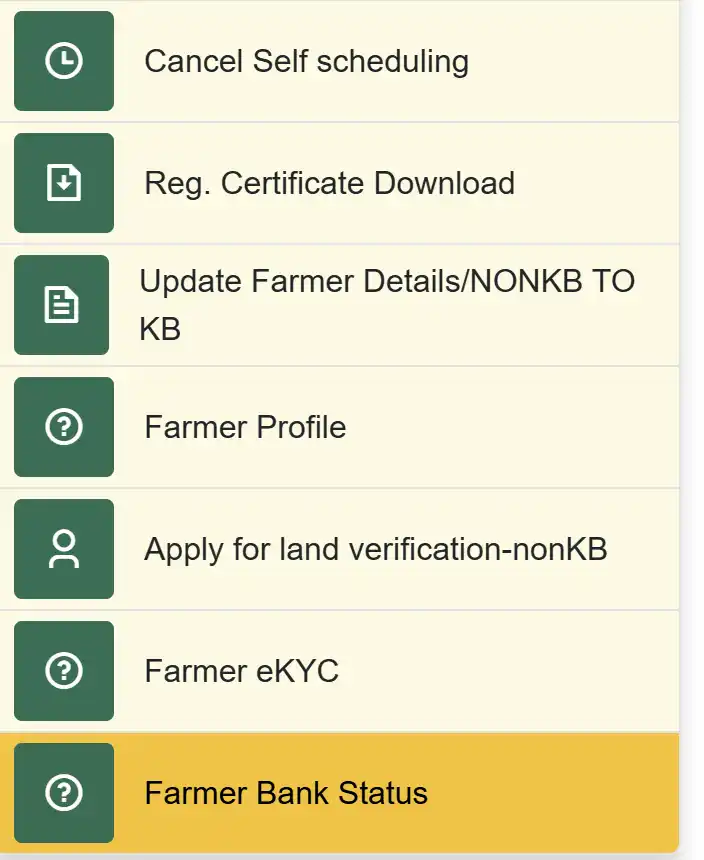
- Now a search box is open. Choose a search option like Search with Registration number, Aadhaar Number, EPIC Number and Krishak Bandhu ID.
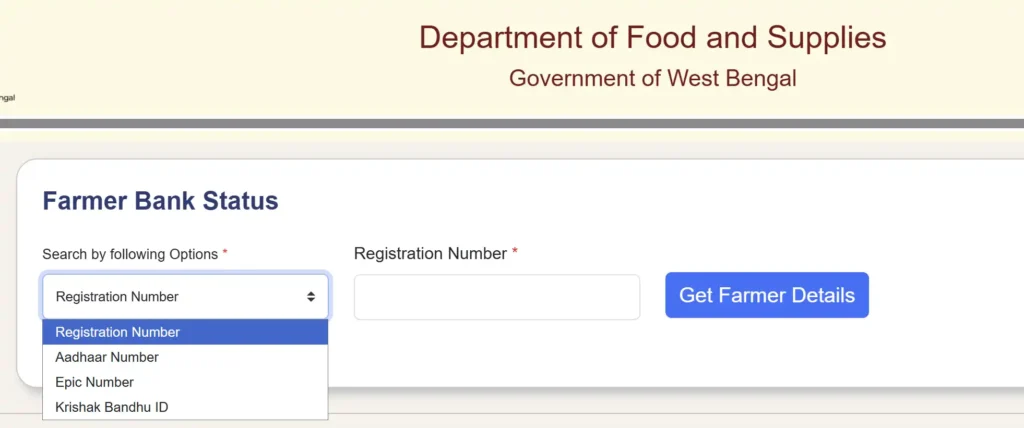
- Choose your option and then fill that number or ID in the Next empty box. Then click on the Get farmer details button.
e Paddy Registration Certificate Download
- To download the registration certificate of the farmer, go to the farmer services section and select Reg. Certificate Download.
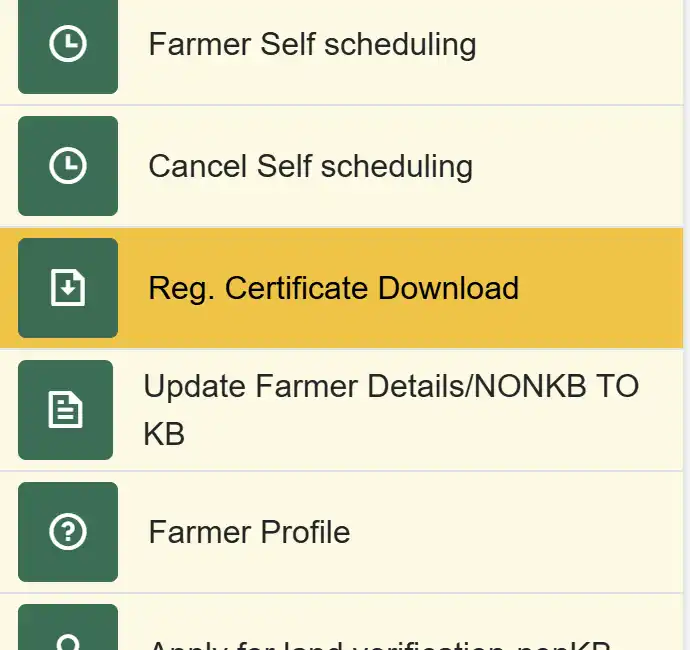
- Choose the search options, such as search by registration number, Aadhaar number, EPIC ID, or Krishak Bandhu ID.
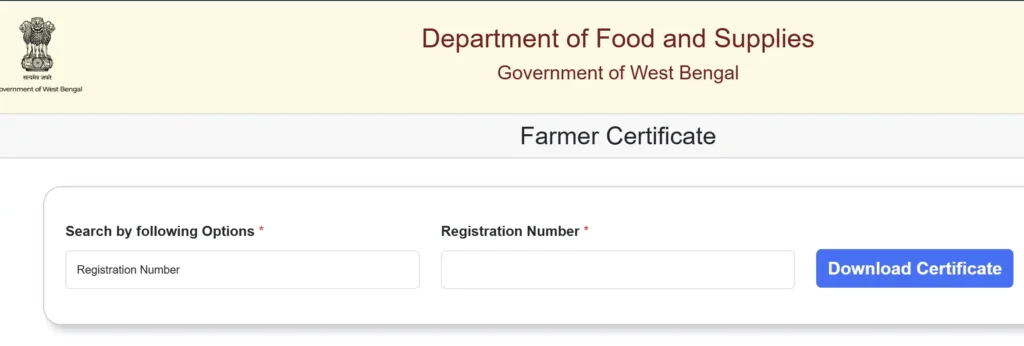
- Then enter those details in the next box and click on the download certificate button.

Satyajit Basu is a Professional Content Writer having experince in this field for the last 6 years. He started his career as a content writer, and now he is working with many big news publications. His expertise is in West Bengal news, and interest in West Bengal Politics and Trending News.